Changelog

Follow new updates and improvements to TorBox.

v9.2

Website

  • Creating an account now properly requires you to agree to our Terms of Service as well as our Privacy Policy.

  • When signing up with a referral code, upon account creation, the code is automatically added to your account.

  • When signing up, you have the option to subscribe to two different types of marketing emails.

    • The first email is for “New features and updates”, which are sent about once a month, or when we have a new update or feature to release.

    • The second email is for “Deals and promotions”, which is general marketing. We send these when we have a new deal, or promotion, or have something general to email you about.

    • These are both completely optional and not required. You are also able to easily unsubscribe from the settings page, or when you get one of these emails.

  • You can now subscribe and unsubscribe from the different type of marketing emails in the settings page. The Notifications Settings page is now also split up into two different sections, transactional emails, which are for general notifications relating to downloads, payments and others; and marketing, which is for updates about the platform in general, and not relating to your account.

Service

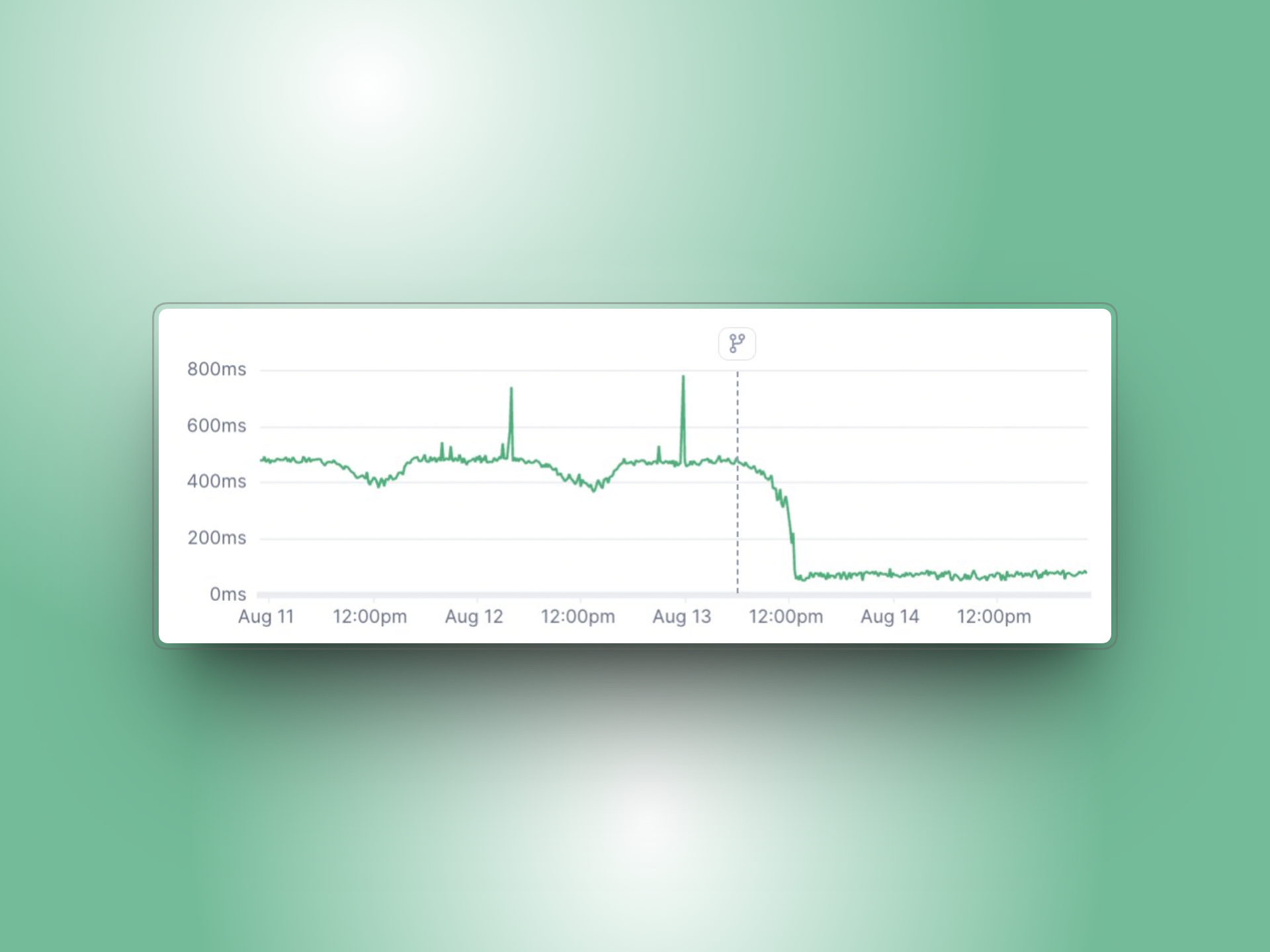
  • The TorBox CDN gains over 30% performance increase, including single connection speed, multi-connection speed, ramp up speed, seek speed and TTFB (time to first byte), which should all improve how fast your downloads begin.

  • Files should now be more compatible with all video player software to prevent infinite loading in some cases with specific files with specific video players.

API

  • The API was further optimized across multiple calls, including any route that accepts authentication, saving around 20ms per request, adding up to thousands of hours of CPU time saved over the course of a year, for a single optimization. More routes were optimized to stack savings, as well.

Web Downloads

  • Optimizes Telegram downloads providing up to 3x more download speed than previously.

  • Optimizes Mega downloads providing more than 4x more download speed than previously.

  • Fixes Datavaults downloads.

  • Makes YouTube downloads more reliable.

  • Makes HubDrive downloads more reliable.

  • Adds Discord downloader. Accepts Discord cdn links.

    • This was needed for the Discord bot, read below.

  • Fixes and re-enables the Katfile downloader.

  • Fixes and re-enables the Fileq downloader.

  • Fixes and re-enables the Sharemods downloader.

  • Fixes and re-enables the MegaUp downloader.

  • Fixes and re-enables the DailyUploads downloader.

  • Fixes and re-enables the Buzzheavier downloader.

  • Fixes the Fuckingfast downloader.

Discord Bot

  • The Discord bot now accepts files in DMs. Simply send a file to the Discord bot directly, and the file will be added to your TorBox account.

  • Discord bot link button takes you directly to the login screen so you can link your TorBox and Discord accounts without much navigating.

Telegram Bot

  • The Telegram bot now accepts files directly. Simply forward or send a file to the Telegram bot and the file will be added to your TorBox account.

NewImprovedFixed

v9.1

T3

  • Fixes random 403 errors on HEAD/GET.

  • Allows v4a authentication.

    • This now means T3 supports all authentication types available.

  • Lists more than 10k items.

    • If you have more than 10k torrents, it will now show all of them.

WebDAV

  • Lists more than 10k items.

    • If you have more than 10k torrents, it will now show all of them.

API

  • The API was rewritten to be fully async, which means less timeout errors, and better reliability.

  • Download links are now much faster, going from best case scenario of ~300ms → ~150ms, a 100% increase from before! This is definitely a noticeable increase.

Website

  • Adds Greek, Vietnamese, and Thai languages to available preferred subtitle and audio languages in the web player settings.

Web Downloads

  • Fixes AnnasArchives downloads.

  • Adds Telegram downloader. Simply copy a message link which contains media and paste it into TorBox, and it will begin downloading!

  • Adds TransferNow downloader. Supports folders as well as password protected files.

  • Fixes Filer downloads.

  • Fixes issues with Mega folder downloads size not being properly counted.

  • Makes large 1Fichier downloads more reliable.

  • Fixes unreliable YouTube downloads.

  • Fixes HubCloud downloads.

  • Fixes Vikingfile downloads in some cases.

  • Pixeldrain now skips undownloadable files rather than marking the entire list as failed. Pixeldrain also now allows “filesystem” direct downloads.

  • Fixes Datavaults downloads.

  • Users will no longer be able to submit downloads to the API when the Web Downloader is marked offline, or when that hoster is marked offline.

  • Sendnow allows for direct links.

  • Fixes Datanodes downloads.

Transcoding Server

  • Improves performance when streaming, meaning better seeking times, less buffering, and more segments instantly available.

Service

  • New policies, located at https://torbox.app/policies, which shows our new comprehensive set of policies. Largely TorBox remains unchanged with these new policies, but they were enacted to protect your rights and privacy, as well as our own.

  • TorBox main headquarters moves from South Africa to Dubai.

    • This was done due to the instability of the country in the recent times.

  • Our AI agents that handle support are much smarter with the ability to access your basic account information such as account plan, days on account, recent transactions, and more.

NewImprovedFixed

v9

Say hello to v9! In this major update we feature major new features such as NNTP, AirLock, and T3. We also fix recent bugs, as well as update parts of our systems which needed it. With the WebDAV and T3 we added more organization with our already existing tags system.

What is NNTP?

NNTP is Usenet, but direct. No waiting for TorBox to download the NZB first, and way more software compatibility, such as with SabNZBD, Stremio, NZBGet, and NZBHydra to name a few. This adds way more flexibility with TorBox Pro, where using our existing Usenet may have been difficult, or hard to understand. With our own News Server, it works just like EasyNews and other similar providers, all included in your TorBox Pro subscription! Read more here.

What is AirLock?

AirLock is TorBox’s permanent storage. Currently files are deleted from our system after 30 days of inactivity. With AirLock, you can section specific files to never be deleted from our system, even with no activity on the file! This is huge for users who may not use TorBox constantly, or want to keep specific files locked away to be stored indefinitely. Read more here.

What is T3?

T3 is TorBox’s S3 Compatible integration allowing use with servers, and powerful software, usually reserved for businesses and huge organizations. With T3, you can harness this power with your TorBox files over a protocol meant to mass downloading. This is very similar to our existing WebDAV service. You may not find yourself requiring this software, and it’s not meant for the average user, give it a shot if you want though! Read more here.

Service

  • Allows all countries to subscribe. Our payment provider has lifted our restrictions allowing any user of any country to subscribe.

    • Previously high risk countries were forced to use alternative payment methods. This is no longer the case.

  • Changed routing for some CDNs to make them more reliable and faster for specific countries.

  • Brings back NNTP News Server. This is TorBox’s very own Usenet provider which you can use in any app that uses Usenet.

    • Read more about it here, this has a lot more information about the new feature.

  • Better abuse protection.

  • More reliable service changes, mostly with API changes.

  • Fixes RSS feed items where the link redirects to a magnet link.

API

  • Changes /createtorrent rate limit to 300/minute for cached items, and keeps the 60/hour for uncached items, with a total rate limit of 300/minute.

    • Read more here.

    • /createusenetdownload and /createwebdownload remain unchanged.

  • Fixes zip uploads to OneDrive.

  • Fixes edge cases with bittorrent v2 hashes.

  • Adds routes for getting and using credentials for TorBox News Server. API DOCS.

  • Edit items no longer require the item to be cached to edit.

  • Adds “airlocked” boolean when editing downloads to the following routes:

  • Adds “airlocked” boolean to the following routes:

WebDAV

  • Allows authentication using API key. Simply pass the username “torbox” with your API key as the password, and you will get access. This can be beneficial for users who want to be able to share their WebDAV access with 3rd parties without sharing sensitive passwords.

  • Tags are now shown on the WebDAV. This means that each tag is a folder, and has the downloads marked with that tag inside this folder.

    • This allows for users using Infuse for example, to set the path to their tag to only show items from that tag.

    • Each tag gets its own folder, every item that shares that tag, will be placed inside this folder.

    • Items with multiple tags will be located inside each of those tags.

    • Tagged items can still be found in the root folder.

    • Tagging does not show when “WebDAV Flatten” is enabled, since tags are folders.

Website

  • Lots of small UI/UX changes to make the website easier and feel better to use.

  • The “Add Torrent”, “Add NZB” and “Add Web Link” buttons have now all been combined into a “Add Download” button.

    • This new modal will detect the type of item you are adding and label it properly.

    • This makes it a lot easier to use TorBox.

  • Adds NNTP News Server credentials section to the tools page. This allows you to easily retrieve your News Server credentials as well as reset your password if necessary.

  • Adds Airlock badge. This allows you to see what items are Airlocked. Fancy!

  • Adds Airlock filter for Pro users. This allows you to filter what items are Airlocked, to view them quicker and easier. Fancy Fancy!

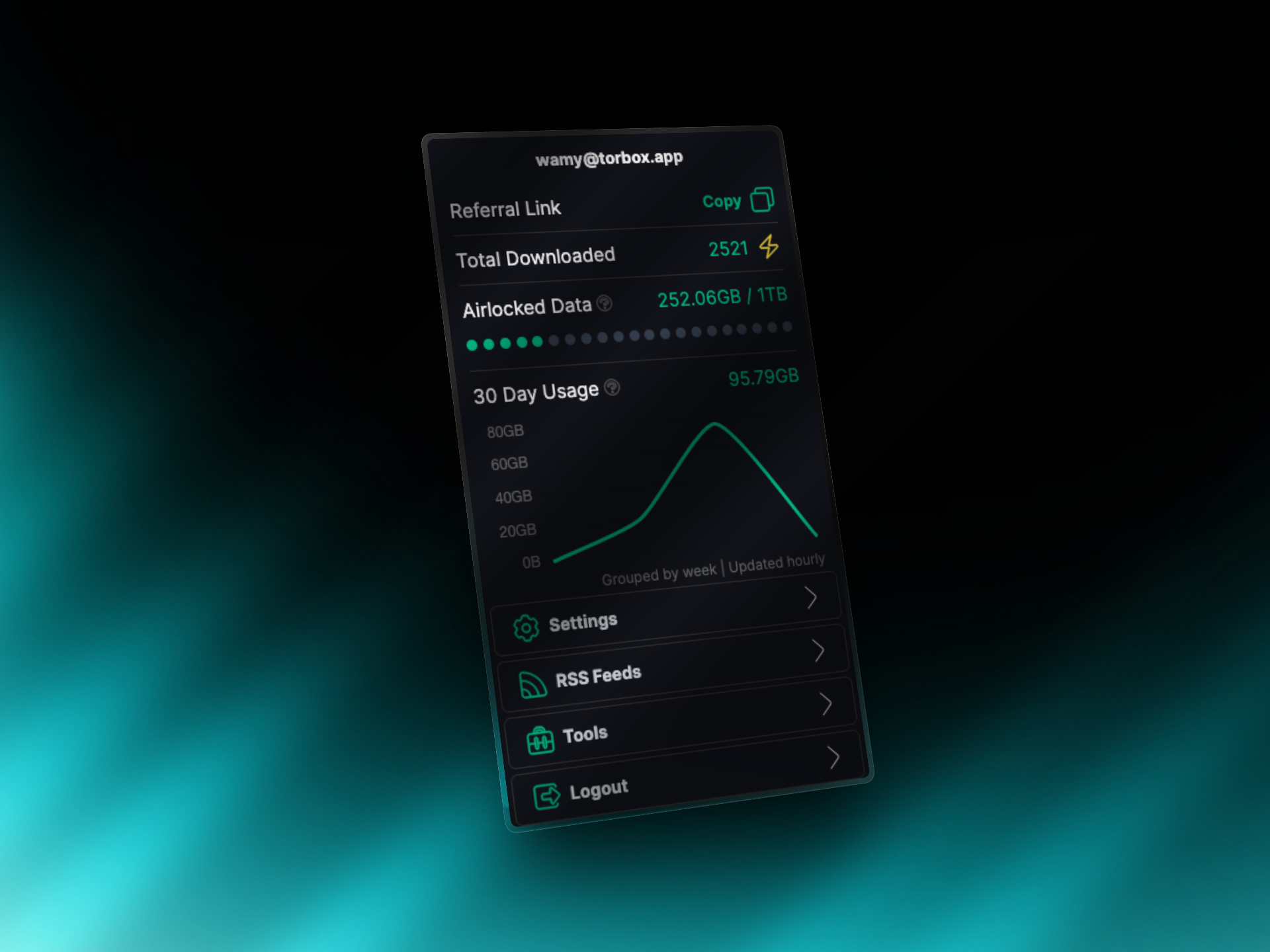
  • Adds Airlock usage in the avatar section. This shows how much Airlocked data you have used, as well as how much you have available total. Fancy Fancy Fancy!

  • Fixes MFA QR Code from not scanning properly.

  • Adds User ID to settings, underneath the email.

    • Allows copying user ID easily, as well as copying email with a single click.

    • This is used for T3 as well as NNTP, and is a helpful identifier for our support team if they require it.

NewImprovedFixed

Earlier updates