18 de febrero de 2026
New
Improved
Fixed

Another heavily focused web player update! This nearly completes the web player in terms of features that we are going to add. This also adds a bunch of quality of life updates that many users requested.
Website
Web player gets “Up Next” dialogue once you have finished watching a stream.
This will stay on your screen until you dismiss it, or perform one of the actions.
One of the actions is “Show List” where it will show a list of all video files, including the currently playing file. This currently playing file will be highlighted in TorBox green.
Clicking on the name of any file will begin the stream for this file.
When clicking on a file, it will keep the same resolution, subtitle and audio settings as currently if available.
Clicking on “Play” will play the next up file.
This also shows a thumbnail for the next video.
Showing this feature can be enabled or disabled in the settings.
When clicking play, it will keep the same resolution, subtitle and audio settings as currently if available.
Web player also gets a post-video screen. This screen will show when your video ends. This shows you a next up, current video information, and file list widgets allowing you to quickly watch the next video, or pick any video you like.
When going AFK on the web player, it no longer resets the player.
Adds torrent health check action to active torrents. This may take awhile to gather but will show you the current peers and seeds accurately. This used to be a tool, but now it is built directly into the dashboard for a better user experience and ease of use.
With this tool, you can know for sure whether TorBox can see any seeds for this torrent.
Makes the sort descending by default. This was a problem for users who selected a sort option in the settings and cannot change direction.
Adds setting for choosing a default web player scrobbling option. This option is off by default.
Adding torrents now takes a little bit longer, but will show errors if there was a problem when adding the download.
Adds Re-Download action to inactive downloads. This allows you to automatically re-download failed, inactive, expired, incomplete, or missing downloads.
This doesn’t apply to all inactive downloads. Read here for more information.
Adds “Copy Name” tool to all downloads.
Adds loading indicators to exporting .torrent and copying full magnet.
Fixes action panel not being fully visible/usable on inactive usenet and web downloads.
API
Adds “use_cache_lookup” parameter to the
/torrentinfoendpoint(s). This allows for quick re-lookups, if you find your users or self requesting the same hashes/magnets/files constantly. API DOCS.Adds “peers_only” parameter to the
POST/torrentinfoendpoint. If trackers are found in the magnet or torrent file, TorBox will search the trackers for the peers and seeds information which is usually faster than contacting DHT for the information. As soon as all trackers are contacted and data is returned, TorBox will immediately respond with the seeds and peers without attempting to find the torrent name, size and files. API DOCS.If the “peers_only” parameter is not sent, but trackers are still found, and the attempt to return full metadata fails, TorBox will instead respond with a successful partial response including the
hash,trackers,seedsandpeers, whilename,sizeandfileswill be null.This can be useful for applications who only want to get a quick look at the peers and seeds rather than requiring all of the information from DHT.
Search API
Fixes NZBHydra2 BYOI searches not showing size, indexer, or files.
Web Downloads/Debrid
Fixes Twitch downloads.
Fixes PikPak downloads.
Service
Processing of files should now be around 25% faster than before.
18 de febrero de 2026
New
Improved
Fixed

Website
Allows searching your dashboard by hash, alternative hashes or tags.
Shows tags in purple on your downloads.
You can add these tags by editing the download, or by the API.
New editor for downloads. This allows you to edit the name of the download, the tags and alternative hashes.
This shows a nice preview, so you will see what it will look like on the dashboard.
Allows filtering your dashboard by your tags. This is useful for only showing specific tags.
Adds button in Stremio Integration settings for resetting settings back to default.
Sort, filter and sort icons now change to TorBox’s green color when in use (or different than your preset settings).
API
Adding cached downloads should be slightly faster, by roughly 30%.
Adding cached usenet downloads got the most improvement by over 200% time savings in most cases.
Adding a cached download now requests TorBox to generate the download link in the background, saving multiple seconds in most cases when you eventually go to download the resulting file.
The science is that most users will immediately download the file after adding it to their account, so we can speed up the process by doing all the hard work in the background, and using the cached link when it is eventually requested.
Allows editing data about torrents. This allows you to update the name, tags, and alternative hashes on the torrent. API DOCS.
Allows editing data about usenet downloads. This allows you to update the name, tags, and alternative hashes on the torrent. API DOCS.
Allows editing data about web downloads. This allows you to update the name, tags, and alternative hashes on the torrent. API DOCS.
Fixes deleting cached downloads. The download would be deleted but would error the request through the API. This has been resolved.
Web Downloads/Debrid
Handles Bunkr video links.
Fixes Extmatrix downloads.
Handles Archive.org embed links.
Search API
Fixes many bugs.
Adds the
cached_onlyparameter to all search endpoints, which searches only for items already cached on TorBox. API DOCS.
13 de febrero de 2026
New
Fixed
A major release so soon! We changed and added so many things in this release, that we had no choice but to make this a new major version. While this contains fewer items than usual, it has big changes such as changing rate limiters, adding QR code downloads, subscribing using crypto and Amazon Pay, removing PayPal subscriptions, and our newest tech, Alternative Hashes!
Website
Allows unlinking scrobblers from your account without error.
Returns detailed errors when failing to start a web player streaming session.
Adds reseller section to checkout.
This displays the available resellers, their fees, payment methods and a direct link to their payment page.
Torrent download updates are much more responsive now than before. This means that torrents won’t be stuck on “Checking” or “MetaDL” unless they really are in that state.
Allows creating QR codes of download links for using on mobile devices. This makes it really easy to create a link on your desktop and use it on your mobile device.
Fixes Usenet and web downloads not submitting password properly.
Adds awesome animation to the header of the main page, go check it out (you can interact with it)!
API
Fixes free users re-downloading cached torrents in some cases.
Adds even better errors when force starting queued downloads.
Allows querying my alternative hashes when checking cached.
Rate limits are now handled across server synchronously, and now use API keys rather than IPs to rate limit.
This means that third party services no longer require whitelisting and enforcing rate limits are now done by our servers, per user, rather than by IP per server, which lead to abuse in some cases.
This also allows us to fine-tune and customize rate limits properly without having to guess.
Search API
Fixes Prowlarr search results not showing in some cases.
The Search API now also includes alternative hashes in the response you can use to query cached hashes.
Service
Allows subscribing with the Amazon Pay payment method.
Allows subscribing with stablecoin crypto. Links to your wallet and automatically debits the cryptocurrencies automatically. The following are available:
USDC
USDG
USDP
Removed subscribing using PayPal.
Web Downloads
Handles more types of Mediafire links.
Adds .gl Annas Archive urls.
YouTube links now download the highest quality available.
Adds PikPak downloader. Allows you to download PikPak share links of folders or files!
Fixes Filer downloader.
Fixes Hitfile downloader.
Fixes Mixdrop downloader.
Adds Filecrypt downloader. Allows you to input Filecrypt links and automatically download the files contained within.
This cannot bypass any captcha on the links though.
28 de enero de 2026
New
Improved
Fixed

Version 8.3 makes our web streaming the most advanced player of all our competition while also giving it features equal to those of dedicated media servers, such as Plex and Jellyfin. This update brings in scrobbling, resolution changes, raw player streaming for mp4 files, and a fancy new “Pre-Stream Selector” which makes starting a stream much easier, giving you your available subtitles and episode options before you start watching!
This update also brings in Vouchers, which can be used as gifts, many UX improvements, and better overall performance for torrents! Please enjoy our latest update.
Web Streaming
Adds scrobbling for Trakt, Anilist, Simkl and MyAnimeList. When streaming via TorBox’s web streaming feature, having linked at least one service, and streaming content that can be matched to an ID on an applicable service, TorBox will automatically update when you start and stop watching the content.
Starting a video within the first 10% will start “watching” the matched content on the service.
Once the video hits 80%, it will “complete” the matched content on the service.
This works with TV shows and movies, as you might expect.
If the file name cannot be matched to an ID on a service, nothing will be updated. Make sure the file names of your streaming content can be indexed and found on a service. TorBox does it’s best to attempt to match, but streaming content such as “E01.mkv” will be impossible to match to any content, and scrobbling will not work.
If you have multiple services linked to your TorBox account, TorBox will update as many services if possible.
You are required to link your Trakt, Anilist, Simkl, and/or MyAnimeList account(s) for this feature to work. This can be done on the website via the scrobbling popup in the player.
Adds ability to change resolution of the stream. This means that if you are on a slow connection, you can transcode a 2160p (4k) stream down to 720p. This is not an automatic process, but this is available in the Pre-Stream Selector, as well as in the player, for changing on the fly.
You cannot upscale any video using this, only downscale.
Fixes thumbnails not properly showing up, and being replaced with default TorBox banner.
Website
New scrobbling popup will allow you to view linked scrobblers, and link new ones as well.
This will show the metadata that is gathered, allowing you to see exactly what media your file is linked to for better accuracy.
Allows adding just torrent hashes, and it will be detected as a magnet.
Adds new refresh button to dashboard. This refreshes your dashboard manually without having to fully refresh the entire page.
Allows playing compatible files as raw, directly in the browser. This allows you to play .mp4 files without having to transcode them to play them in the browser.
This does prevent the use the captions or switching audio types, but there is a button to enable transcoding which switches the player to “transcoding mode”, to enable subtitles and audio switching.
This is available for all paid plans, but transcoding is still only available for Pro users.
Adds settings section for the web player settings, with descriptions and information about settings. Some settings only affect Pro users due to requiring transcoding (this is stated next to settings that require it).
Adds setting for enabling or disabling “Always Transcoding”. Enabling this means that TorBox will always transcode files played through the player. Keeping this disabled allows you to play browser compatible video files, such as .mp4 files.
Adds setting for choosing default language for subtitles, as well as a setting for choosing a default language for audio streams.
Adds setting for automatically skipping intros if applicable. If enabled, the web player will always skip the intro once you get to it. Only skips the first time you encounter the intro in the play session. If you decide to go backwards in the stream, it will not skip again.
Adds setting for our Pre-Stream Selector. This setting either disables or enables the selector, we recommend keeping it on though!
Adds Pre-Stream Selector which allows you to choose the correct settings for your stream before you begin, allowing you to modify the audio or subtitle language before opening the player! This will hopefully save you some time when watching streams.
The Pre-Stream Selector does not display for raw files, as there is no way to change audio or subtitles for the raw player.
No longer shows progress bars on inactive items.
Now shows removal reason on inactive items.
Adds Voucher payment section to the subscription page. This allows you to purchase, redeem, and view TorBox Vouchers. You can read more about the system here, as well as the terms of service of Vouchers here.
You are now able to purchase any TorBox plan (not including addons), at any duration, at any quantity sent to any TorBox user.
This is great for gifts, sharing, or giving away TorBox to other users!
Adds button for changing video zoom level. Similar to other players, you can change the zoom which makes certain videos look better depending on the device or screen. This is usually best in full screen for ultra-wide screens or for mobile devices (both due to their width). The available options are:
“original” for the original video ratio.
“fill” stretches to the edges while keeping the original aspect ratio.
“stretch” stretches to the edges while disregarding the original aspect ratio.
Adds button for changing video resolution. This allows you to transcode down the video you are watching to any lower resolution, while keeping the same aspect ratio.
Fixes intro bar not showing on some devices.
This is the green bar which shows on the timeline in the player where the intro starts or stops.
Service
Adds better routing for Canadian users. Previously CA users were routed to our CNAM CDN, but now CA users to the east are routed to our ENAM CDN.
Usenet downloads now give better download states. Instead of being stuck at 100% download, it will show you if it is verifying, unpacking, repairing, or has failed in any of these stages.
The Tinfoil API is now back to running and works better than ever before (for the 5 people using it).
Usenet downloads are now more efficient resulting in less waiting times in a queue.
All public torrents now get trackers automatically added if none are there. This means that possibly dead torrents over DHT may find peers via trackers, without any additional input leading to a better user experience.
Queued downloads are now only checked every 3 hours, rather than the previous 1 hour. This is due to the increased number of them, and not being able to get through them in time, leading to an infinite queue where queued items eventually never were checked.
Automatically disables a CDN when performance is poor, and enables automatically when performance is back to normal.
Search API
Metadata responses now include "simkl_id” if found.
Metadata responses for anime results will now properly find anime database ID’s if possible when searched via IMDB, TMDB, TVMAZE, etc. This leads to better data accuracy.
Metadata responses now will use found IDs to search for other IDs recursively to get the best results.
Fixes Usenet searches not respecting season and episode in some cases.
Web Downloads
Handles alternative Annas-Archive domains.
Fixes HAnime downloads.
Fixes Kemono and Coomer downloads due to domain changes.
Fixes Filepress downloads due to domain changes.
Fixes Scribd downloads.
API
Force starting queued downloads now immediately starts them, rather than adding them to the top of the queue (where they may be put further down later).
Force starting queued downloads now give proper errors if failed.
Fixes web downloads not respecting the “add_only_if_cached” parameter.
Fixes uploading some NZBs where they would not be added to TorBox.
Fixes NZB urls not giving correct file due to indexer detections. Many protections were put into place to prevent issues.
TorBox Media Center
Lots of changes made to bump up to v2.0.0. If you are not on the latest version, you should upgrade as it comes with a few new features, bug fixes, and quality of life updates. You can read about the changes here.
20 de diciembre de 2025
Improved
Fixed

API
Jobs now include a filename in the API response, allowing for better identification of the file for users.
Adds back
/job/{job_id}endpoint. API DOCS.Free users can now authorize a device, and verify the code.
Web Streaming
Optimized streaming speeds for fast start times and low to no buffering.
Website
The web player now auto resumes playback when changing audio tracks or subtitles, as well as preserving your selection across refreshes.
It does not save selection if you restart the stream, as in going back to the download page and clicking the start stream button again.
Web Download/Debrid
Dailymotion uses alternative downloading method for more reliability.
Fixes YouTube music downloads not processing correctly.
7 de diciembre de 2025
New
Improved
Fixed
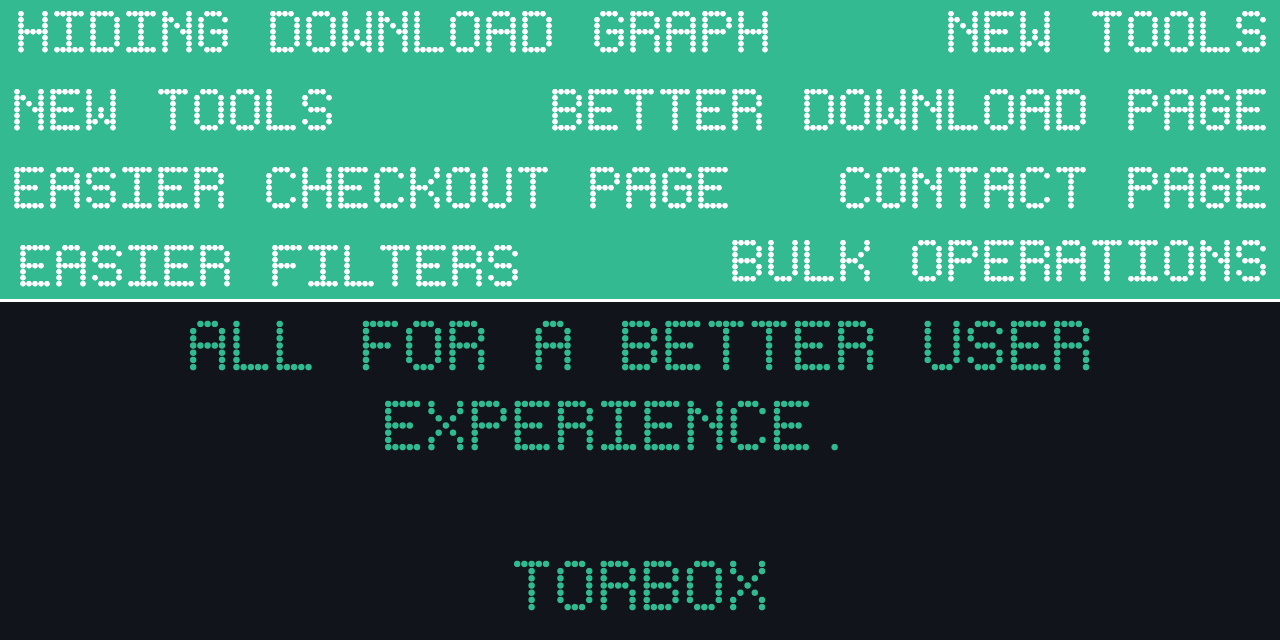
v8.2 introduces a more powerful dashboard, perfect for power users, but has a much better user experience than before, with easier to use features, more powerful controls, and features that users have been asking for.
Website
The dashboard now allows you to multi-select items of any kind, allowing you to perform actions on specific items.
While having an item selected, holding
shiftwhile clicking on an item above or below will select all the items in between, like you would expect in your computer’s filesystem.Allows you to get download links (or zip links for items with more than 1 file), or delete items.
There is also a “Select All” checkbox allowing you to select all items on your account to perform these actions on.
When performing a bulk download on multiple items, a widget will popup in the top left showing you the download links of the items you requested.
You can batch copy links with a button at the bottom. This button is also compatible with JDownloader and other download managers, making downloading all of these items simple.
You are able to copy, or directly download the links returned.
You are now able to add multiple magnet links, multiple torrent files, multiple web links, multiple usenet links, or multiple usenet files at once, rather than requiring you to open the window multiple times to add multiple downloads.
The dashboard now allows you to filter and sort by even more attributes, such as: x,x,x
Download items on the dashboard also now operate differently than before. As mentioned above, clicking on the item will select it for a batch operation, while hovering over the download item, will show you a new list of buttons which have different operations.
The download button will take you to the download page, like before.
The zip button will give you a direct download to the zip of the download, allowing you to download the entire download without leaving the dashboard.
The eye icon will show or hide the files list, allowing you to view the files inside the download without leaving the dashboard. This also allows you to download each file without having to leave the dashboard, while also showing you crucial information about the download. Copying links is also possible.
This also includes a button (3 dots) that allows you to get the hash, magnet, or other information about to download, without requiring the long press or right click anymore.
Pro users are now able to show or hide the sidebar on desktop. This gives your downloads more space, while hiding the upgrade buttons and the download speed chart if it is something you don’t want to see, while giving your downloads more space.
This is a Pro feature only.
Your browser will save whether you have it opened or closed, so its position will persist across refreshes.
Clicking on the number of downloads you have of different types at the top filters the dashboard by those types.
This is a paid feature only.
The download page also gets a decent upgrade too, making the page more compact and easy to use.
This also adds nice informational icons based on what file type it is. These icons are shared with the webdav!
Stremio Integration settings now gets an option for switching between the emoji description type of streams, or the text description type. The emoji description uses emojis instead of text for labels.
New Checkout page, makes seeing all of the available payment methods easier to see and is more intuitive.
Currently, clicking on a payment method will take you to the real payment page, but eventually you will be able to pay on the TorBox site itself, without ever leaving.
New coupons system. Enter a coupon before clicking “Pay” or “Subscribe” to get a discount which is applied to all payment methods. This can be done on the subscriptions page.
Patreon cannot be discounted.
This means that UPI and crypto can now be discounted, which wasn’t possible before!
The new checkout page will show your discount and the amount you are required to pay.
Signing up for a TorBox account via a redirected URL such as a referral, will now properly redirect you back to the subscription page once you have fully signed up.
This reduces friction when you sign up via a referral code, and it never gets applied.
Web Downloads/Debrid
Makes 1Fichier downloads more reliable.
Properly handles direct download Vikingfile links.
Fixes Katfile downloads.
Fixes GoFile downloads with cold files. These files will be skipped as they cannot be downloaded. The rest of the files will be downloaded as normal.
Fixes GoFile downloads which may require passwords. GoFile downloads that require passwords can now be downloaded by TorBox.
Fixes Annas Archive downloads.
Fixes Datanodes downloads.
Fixes 123Pan downloads.
Adds Transfer.it hoster downloads.
Service
Uploading to Google Drive, 1Fichier, GoFile, Pixeldrain and OneDrive are now more reliable.
Fixes errors when downloading files with special characters in the filename through the CDNs.
This only affected files with names that included, “#” or “?” for example.
One time payments are now less restrictive, allowing you to pay with a VPN enabled, or even on Incognito.
It should be noted that subscription payments are quite strict to prevent fraud.
Download statuses should update much quicker and more reliably.
API
Re-adding “expired”, or “reported missing” downloads will download fresh rather than counting as cached.
You can now only have a maximum of 1000 queued downloads in total. This includes torrents, usenet and web downloads combined.
Any more added after you hit 1000 will simply be rejected.
Stremio Addon
Introduces “emoji” descriptions for streams, similar to those found in popular Stremio addons such as Torrentio. This is a setting found in the stremio integrations settings section.
Improves Your Media matching.
Web Player
Subtitles for videos with .ass subtitles now display properly.
WebDAV
WebDAV is now more reliable. Previously webdav would stop working if a server went offline, it is now more resilient.
Fixes downloads cutting out after a period of time.
25 de octubre de 2025
New
Improved
Fixed

This update re-introduces our transcoder to the TorBox service. This allows you to play any media file on your browser, just like you would for YouTube. We previously introduced this feature very early on, but it wasn’t very popular, and there were too many technical challenges due to using GoFile as storage (crazy days), as well as lacking the time and skill to be able to build out a comparable feature to other services. Now that we have more control, we are able to add awesome, nice-to-have features like this!
This allows you to stream anywhere, but also allows developers to also tap into this new feature, powering a new wave of apps, built on TorBox, for streaming video. Transcoding is extremely fast, and you are able to seek anywhere in the timeline without having to wait for buffering. Eventually adaptive bitrate streaming will be added, once we have determined requirements and finished testing, allowing users on lower bandwidths to scale down their video dynamically to a lower resolution for buffer-free playback.
Website
Introduces the ability to stream video files directly to your browser by clicking the stream button on the download page for compatible videos. This takes you to the stream page, which is the brand new TorBox video player.
There are all the controls you need, as well as changing subtitles and audio, even viewing the nerdy stream info about the video as well.
If detected, there will be shown a “Skip Intro” button. More information can be found in this help document about the new “Skip Intro” feature.

There are too many small things to talk about in this change log (where they will be forgotten), so we created an article for you to further understand the player and how it works, and how to use it (the most important part).
A fun and nostalgic screensaver has been added to this page, if you stay idle for too long…
This is a Pro only feature for the time being.
Adds “Wait for uncached Usenet downloads” and “Wait for uncached Torrent downloads” options under the Stremio addon section. Read more about these options under the Stremio Addon section.
New login page. Refreshed to include fancy animations, as well as Single Sign On (SSO)! This allows you to sign in using Google or Apple, making logging in easy as a single click.
Your account must match the Google or Apple account email otherwise, it will create a new email.
You are able to both sign in, and sign up with these buttons.
You still must pass the captcha before logging in.
TorBox will show you what you last logged in with on this device if you have ever used SSO. This makes it easy to remember which button to click when logging in.

Adds cancellation reason before cancelling your subscription. This allows us to collect necessary information on why you are cancelling your subscription, to better improve our services.
API
Brings back the streaming API where you can develop your own player to use with your TorBox files! Developers can use this API to create streams, and gather metadata about video files on a users TorBox account, allowing them to stream their content on the browser, or any video player, without any worry about compatibility. API DOCS.
These streams are usually faster to start, as well as has the least amount of buffering, which can be very valuable for users on weak connections.
API is now much faster for routes with API keys (nearly every single request). This can result in over 200ms savings!
Service
Long running downloads via the CDN have been fixed.
Improves downloads speeds via CDNs. Ramp up speeds have been majorly improved.
Allows sending properly formatted webhooks to Pushcut.io.
This requires the Pushcut Pro subscription to be used properly.
Referrals are now only valid for the first payment on a user’s account, but buying a year long subscription will now give you 84 days. Similarly, you will get 7 days for every month purchased with your referral code active. You can read more about it here.
Web Downloads
Fixes Vikingfile downloads.
Fixes Hitfile downloads.
Fixes Turbobit downloads.
Fixes Mediafire downloads.
Handles GoFile downloads with subfolders.
Fixes RedGifs downloads.
Fixes Hexload downloads
Stremio Addon
Searching via the addon should be much faster than before with heavy optimizations made.
Allows search Your Media by using Stremio search to find items in Your Media Catalogue.
When enabled in the settings, the addon can now wait for uncached Usenet downloads to be completed on TorBox and directly streamed to Stremio without forcing you to view the “TorBox is downloading” video, and having to click back on the file once completed.
This allows you to simply “buffer” for a short amount of time while you wait for the Usenet download to be completed. Once the video is available from TorBox, it will start streaming the video.
Streams with this enabled are labeled “Cache & Play”.
This works with torrents as well, but Usenet downloads much faster, so it will be more useful in Usenet downloads.
The Stremio addon will only wait for up to 90 seconds for the video to download, otherwise it will return the common “TorBox is downloading” video to you, and you will have to return to the stream once the file is complete.
Improves stream start times, reducing the amount of buffering time necessary.
3 de septiembre de 2025
New
Improved
Fixed

Global domination with new CDNs! TorBox releases 14 new CDNs, not including the 2 we already had in Western United States and the Netherlands! This exciting new development means that TorBox users get much faster downloads, faster stream start times, faster seeking times and better throughput wherever they are in the world.
We placed these 14 new CDNs very strategically based on where our users are located, which means the most amount of users will be impacted by this fantastic change. The API has also been upgraded to route you to the perfect CDN, but also use your setting if you have manually changed your preferred CDN location.
These CDNs are also extremely fast, quicker than our competitors in function, being able to push over 4gbit/s from a single connection. The amount of time and effort was spent in optimizing each location for the networks around each CDN was insane, but we are extremely happy with how the CDNs turned out!
Also, happy birthday to TorBox as it just turned 2 years old! It’s been a crazy 2 years, and an even more crazy past 1 year, so please enjoy TorBox v8, and let us know what you think!
Service
Introduces our new global CDNs at the following locations:
Sydney, Australia 🇦🇺
Tokyo, Japan 🇯🇵
Mumbai, India 🇮🇳
Singapore 🇸🇬
São Paulo, Brazil 🇧🇷
Chicago, Illinois, United States 🇺🇸
Miami, Florida, United States 🇺🇸
New York, New York, United States 🇺🇸
Marseille, France 🇫🇷
Oslo, Norway 🇳🇴
London, United Kingdom 🇬🇧
Kyiv, Ukraine 🇺🇦
Tel Aviv, Israel 🇮🇱
Lisbon, Portugal 🇵🇹
Cloudflare CDN 🌐
Uses the closest Cloudflare datacenter to serve the file, rather than from one of our many new CDNs.
This can be very fast for some users, but slow for others. We recommend sticking to auto unless manual tests prove that this CDN is fast for you.
This serves mostly as a backup option if none of our CDNs work well for you.
Bunny CDN 🌐
Like Cloudflare, uses the closest Bunny.net datacenter, rather than from one of our many new CDNs.
This can be very fast (in our testing, even faster than Cloudflare), but slow for others. We recommend sticking to auto unless manual tests prove that this CDN is fast for you. We also recommend trying out the Cloudflare one, since they have a larger network and will be faster for more users.
This serves mostly as a backup option if none of our CDNs work well for you (even the Cloudflare one).
CDNs do not perform zip downloads. You will be routed to either WNAM or WEUR CDNs to handle these downloads.
CDNs also do not host the WebDAV, you will be routed to either WNAM or WEUR CDNs to handle these downloads.
Fixes streaming issues with Kodi regarding crashes and buffering after a short amount of time.
Default Kodi settings are now sufficient to be used with TorBox and works fine with any supported addon.
Zip downloads are now resumable and multi-thread downloadable.
Once you start your download, the resulting zip file will be created on disk as the download is progressing, meaning you can pause the ongoing download at any time.
The initial download will not be multi-thread downloadable until the entire file is on the disk, but most likely the completed zip file is already on your device.
If you are using the API to do this, you could first run a GET request on the zip link, cancel it, wait for a minute, then download it again with multiple threads and in most cases the speed benefits will outweigh the waiting period for the file to generate on disk.
While not exactly great for multi-threaded downloads, this feature was mainly aimed at making the zip download resumable, which it accomplishes perfectly.
Patreon payments no longer require emails to be exactly the same with the new Patreon linking system which shows up before purchasing. This links your Patreon account with TorBox, which prevents any issues with post-purchase linking not working properly.
Web Downloads / Debrid
Fixes NexusMods downloads. Now only downloads latest items rather than all archived items which was wasting space.
Handles quota error with Google Drive. The download will be rejected so you may attempt the download later.
Fixes 123Pan downloading infinitely instead of producing error when in the file downloading stage.
Yandex Disk downloads now allow for all folders and files to be downloaded. Previously only video was able to be downloaded.
Yandex Disk was also upgraded to a limit of 200GB per link.
Fixes UploadHaven downloads.
Handles edge case with 1Fichier downloads where the file is locked via their API but not via the website.
Fixes Mediafire downloads.
Fixes Filepress downloads.
Fixes Turbobit edge case where the sizes were longer than expected.
More reliable Terabox downloads.
Fixes Mixdrop downloads.
Fixes names of Terabytez downloads.
Fixes names of Worldbytez downloads.
Fixes Kemono and Coomer downloads.
Fixes HAnime downloads.
Fixes edge-case when downloading YouTube playlists, where a single file would hold up the entire queue.
Adds progress to downloading YouTube playlists. This only shows the progress bar, as well as the current size, but download speed will still not be shown.
Allows using direct download links for Pixeldrain.
Website
With all the new CDNs, the CDN selector needed a glow up. It now looks much more modern and less cluttered, and includes flags for easy association with the CDN of your choice.
When the “Auto” selection is enabled, there will be a lightning icon next to the CDN that “Auto” will be using. This is nice for users to get a gauge on exactly what Auto is using based on their IP.
All drop down selectors also get a similar glow up for better UX.
The hosters page also gets a revamp, changing how it looks.
The images now load directly from TorBox, which results in faster image loading, better quality, and better security.
Allows setting Pixeldrain API key in the settings so that uploads are sent to your account. This is required to use the Pixeldrain uploader now.
Allows setting 1Fichier API key in the settings so that uploads are sent to your own 1Fichier account rather than being uploaded anonymously.
Allows setting Gofile API key in the settings so that uploads are sent to your own Gofile account rather than being uploaded anonymously.
Fixes opening links in player for Android devices.
Speedtest page is now more reliable and accurate when performing tests.
The speed test page now shows the ping to each CDN before testing.
New “Borrowed” tag for torrents where the user does not “own” the torrent. This comes with no repercussions and is purely informational.
Clicking on this tag on the dashboard will take you to the following article which explains this in more detail:
https://support.torbox.app/en/articles/9835759-download-labels#h_13c4cd560d
Searching in the hosters page, will now change the URL you are located at with the search query, so you can easily share the same exact search you are at.
If you search for “1fichier”, the current URL you are at will change to
/hosters?search=1fichier, so if you refresh or send to another user, it will show the same results.
Searching in the integrations page will now change the URL you are located at with the search query, so you can easily search the same exact search you are at.
If you search for “qbittorrent”, the current URL you are at will change to
/integrations?search=qbittorrentso if you refresh or send to another user, it will show the same results.
Selecting a section in the settings page, such as “search” will change the current URL to the section you are currently at, so you can share it or refresh, and it will take you right back to the same section.
Adds OAuth Device page for linking your device to a Third Party App.
Adds Private filter to the dashboard and settings.
Adds Borrowed filter to the dashboard and settings.
Adds the ability to download a receipt of any transaction, looks beautiful!
API
The API now properly routes you to the best CDN. You can always be sure that your download will be as fast as possible.
Allows batch starting queued downloads.
Previously this would result in a database error.
Route
/torrents/torrentinfocan now use the TorBox cache to get torrent info, which can result in quicker results from this endpoint.You must enable this manually, by sending the “use_cache_lookup” parameter. This is due to the fact that it would return zero seeders and zero peers which may defeat the point of this endpoint for some applications.
Test files now properly choose the closest files to download and the rest are based on closest as you go down the list.
Fixes interesting race conditions with some routes in the API.
Requesting download links are now slightly faster.
Improved around 50ms!
Better reliability with starting queued downloads.
Better reliability with starting RSS feed scraping.
New device code authorization flow for developers on apps primarily on TV devices. This makes linking devices with TorBox much easier. API DOCS.
Adds
add_only_if_cachedparameter to/createXXXXdownloadendpoints that allows you to specify if you only want this download added to your account if it is cached. If not cached it will return an errorDOWNLOAD_NOT_CACHED. API DOCS.Adds ability to generate PDF receipt of transaction the user owns.
Search API
More results when searching for anime.
Quicker results when searching for anime, due to a different scraping method of Nyaa.si which focuses on parallelism.
Adds AnimeTosho to anime torrent searches.
Previously only used for anime usenet searches.
24 de julio de 2025
New
Improved
Fixed

Also named the “Anime Update”, this update focuses on the Voyager Search API and adding a whole ton of new features that were much needed to make the search engine one of the best in existence. Along with adding Nyaa and Animetosho searching, it brings the ability to search via all anime ID’s including Anilist, Kitsu, MAL and many more. Not just that, but searching via the standard ID types such as IMDB will properly mark the item as an anime result, allowing the search engine to then search the correct places with the correct categories. This eliminates the difficult issues of anime where they are all normalized at the edge.
Search API
The search API now uses the
mediaTypekey to show whether an item is “anime” or a “series” or “movie”.Keep in mind that
typeis still used to determine whether an item is a “series” or “movie”. You can combine both of these to properly search for anime using the API.
The main title is now translated into many different titles, located in the
translatedTitlesarray key. This is useful for searching as titles, andtitlesFull, might not have all necessary languages.This is in a new key due to the low accuracy of the data, while
titlesandtitlesFullare supposed to be very high accuracy.
Now includes
seasonsNumberon applicable items.Now includes a
popularityrating which is used for sorting internally to provide most popular results first. Developers can use this as they like.Metadata is now more accurate than before.
Better anime searches, you should be getting a lot more results compared to before v7.4!
Nyaa.si is now integrated as a tracker TorBox now searches for when the query matches anime. This allows users to find their open-source anime from the best public tracker available for torrents.
Animetosho is now integrated as an indexer TorBox now searches for when the query matches anime on Usenet searches. Animetosho is simply a mirror for other sites but also provides the same files in Usenet form, which is great if your niche open source anime has few seeds.
Adds the
media_typeparameter to the metadata search API endpoint.This allows you to specify whether the ID is
seriesormoviesas some databases don’t have unique items.
Searching for TMDB IDs is now possible.
Searching for TVMaze IDs is now possible.
Only compatible with
seriestypes, as that is all TVMaze offers.
Searching for TVDB IDs is now possible.
You have to use the previously mentioned
media_typeparameter to specify eitherseriesormoviesas TVDB doesn’t have unique IDs.
Searching for Kitsu IDs is now possible.
Searching for Anilist IDs is now possible.
Searching for Anisearch IDs is now possible.
Searching for Live Chart IDs is now possible.
Searching for Notify.moe IDs is now possible.
Searching for Trakt IDs is now possible.
You have to use the previously mentioned
media_typeparameter to specify eitherseriesormoviesas Trakt doesn’t have unique IDs.
When searching for an anime item using IMDB, TMDB, TVDB or TVMaze, it will automatically be categorized as an anime
mediaType, rather than just aseriesormoviesmediaType. This allows our internal search system to properly route the request to the proper search outlets to get the best search possible with the correct filters.When searching for torrents/usenet of the same media but different season/episode/other parameters, searches will be much faster since metadata is now cached specifically.
Searching with BYOI is much faster now thanks to caching individual searches rather than as a whole, which BYOI doesn’t do.
The search API now returns all associated IDs in the response. The ones included for the time being are:
imdb_id,tmdb_id,tvmaze_id,trakt_id,mal_id,anilist_id, andkitsu_id. If any are associated with the requested metadata, it will be included, otherwise it will be null.It should be noted that not all metadata requests will have these keys, as the cache loses validity, these will be evaluated in time.
Adds the ability for you to use the TorBox Voyager Search API with Sonarr, Radarr, NZBHydra2, and other Torznab and Newznab clients. The search API now has routes for searching via torznab and newznab! This is a highly requested feature and it is finally available!
When adding to your clients, https://search-api.torbox.app/newznab for Newznab, and https://search-api.torbox.app/torznab for Torznab.
Only paid TorBox users are allowed to use this endpoint, you must add your API key to the client for the search to resolve results. Subscribe!
Web Downloads/Debrid
Mega now downloads and decrypts at the same time leading to halved time to processing.
Fixes an edge case with larger Mega downloads not being decrypted properly.
Handles downloading Streamtape embed links.
Properly gives error for Baidu links that are not in the right format.
Adds Sendspace.com downloader.
Adds Isra.cloud downloader.
Adds Wupfile downloader.
Fixes Krakenfiles downloads.
Fixes Mixdrop downloads.
Adds Filespress downloader.
Any large downloads will get capped out in speed, and eventually stall, this happens normally unless you download via Telegram. If you need any files larger than 400MB, we recommend you download via Telegram linked on their website.
Adds Extmatrix downloader.
Fixes Pixeldrain downloader when downloading lists.
Adds Filefactory downloader.
Adds 123Pan downloader.
Adds Darkibox downloader.
Adds ShareMods downloader.
Adds Filefactory downloader.
Adds Uploadhaven downloader.
Fixes Baidu video downloader.
Implements our own custom one rather than using YTDLP.
Adds MegaDB downloader.
Keep in mind MegaDB limits download speeds for everyone, and no Premium membership is currently available to speed up downloads.
Fixes Rapidgator downloader.
Adds Files.vc downloader.
Fixes Baidu downloads being corrupted and .aria2 files still being present.
Adds Vikingfile downloader.
Rule34 now supports video downloads.
Fixes Rule34 downloads being blocked by Cloudflare protections.
Fixes Bunkrr downloader.
Website
Fixes MFA not working with password managers when prompted.
Dashboard is much more performant, especially on older mobile devices.
Downloads no longer get stuck on “Processing” and require a refresh to see the newly processed download.
Performing actions on the site is much faster and more performant.
Disallows submitting multiple Web Download/Debrid links in the same text box.
Disallows submitting multiple magnet links in the same text box.
Notifications now properly show up on the dashboard as a live notification. Previously a refresh was required to see new notifications.
Jobs now properly show up on the download page as a live notification. Previously a refresh was required to see job errors and updates.
Speedtest page now shows loading while loading all necessary data, rather than showing an error.
Speedtest now shows the name of the server you are connecting to during the test.
Speedtest now shows the “mbps” speed along with the “MB/s” speed. This prevents confusion of the perceived “low” speeds of “MB/s”.
Allows you to now choose HDR options specifically rather than filtering by all HDR types.
HDR, HDR10, HDR10+ and Dolby Vision options can now all be individually filtered.
Only HDR will be default, the others will have to be manually selected by users to be enabled.
Allows you to limit Stremio results by resolution. The settings page now includes these options for both torrents and usenet specifically.
Allows you to set an amount of minimum seeders you require in the Stremio settings. This setting hides any non-cached torrents with less than this value.
The default is 3.
Main page speedtest files now get the closest speedtest location to you rather than a default speedtest file.
Private torrents now show a specific purple “Private” tag so you can distinguish them from other torrents.
Service
Download satellites now show helpful HTML pages rather than strange looking error codes to the user while downloading.
This also responds with proper HTTP statuses, so if you are using links programmatically, don’t rely on JSON, rely on the status code.
Status code 500 for failure, 403 for unauthorized, and 400 for bad token.
Starting link downloads should be much faster (the time from requesting the link to when the file actually begins downloading, also called Time to First Byte). This is a noticeable change that translates into every file downloaded from TorBox.
From ~3.7s → ~290ms in EU CDN location
From ~750ms → ~210ms in US CDN location.
Starting zips should be much faster. Same improvements made as above. We didn’t take measurements, sorry!
Fixes uploads to remotes such as Google Drive being unreliable for some files.
Private torrents should now be much faster to process.
WebDAV
Adds .iso specific icon in the “Explorer” view.
Handles Gzip, 7zip, and Tar files with the archive icon in the “Explorer” view.
Handles edge case with some files not showing up properly.
Routing to
/refreshon the WebDAV force refreshes your settings and downloads.
Relay
The relay now tracks Usenet downloads as well as torrents for much better reliability of status. Sometimes encrypted statuses and other similar failed statuses wouldn’t get updated on the database, usually due to an API restart. This resolves the issue.
Stremio Addon
Searches should be a little bit faster now.
Shows HDR/Dolby Vision specification in title as a separate option.
You can now limit the number of torrents and usenet results by choosing how many results per resolution you want to show up. For example, you can set it to 2, and there will be 2 UHD option, 2 HD options, and 2 SD options available.
This does not limit Your Media options.
Your Media streams now have the “Autoplay Next Episode” feature available.
Polish Language is more filterable.
Stremio addon now is compatible with popular catalogues such as Kitsu.
Fixes bug where addon cannot be added directly in Stremio app for some Android devices.
See this issue about it.
If you are on a mobile Android device, please re-add your Stremio addon to get this fix.
You can now configure the seeders cut off value, allowing to choose the minimum amount of seeders you require to be available for torrents.
If a torrent is cached, the seeders amount doesn’t matter and the setting will be ignored.
The default is 3.
Handles edge case where some subtitle files were showing up in Your Media, even though their mime types didn’t match the file itself.
Handles some edge cases where the episode that a user clicked on didn’t match the video played. This mostly happened with batch season packs, movie packs, and seasons where some episodes were combined (S01 E01-E02).
Much faster stream start times savings due to pre-calculated OpenSubtitles video hash. In most cases, users will see at least 2 seconds faster stream starts, but can see over 30 seconds improve stream starts for users on weaker devices, or slower connections.
This is only available on v5 Stremio. As of releasing this changelog, it is only available on Stremio Beta for Windows and Android.
API
API route
/torrents/mylistnow shows if a torrent is private or not using the “private” key which is a boolean.Adding cached torrents to TorBox should now also be around 50% faster and is the practical limit for request times when adding cached torrents:
From ~1.35s → ~600ms when requesting cached items, not already on your account.
From ~1.15s → ~270ms when requesting cached items, already on your account.
Generating links should now be around 50% faster and is the practical limit for request times for requesting direct download links:
From ~1.55s → ~1s on first request.
From ~850ms → ~400ms on subsequent requests for different files.
Requests after should see no improvement as it is cached in memory. Times average about ~300ms round trip.
Checking cached requests should now be around 50% faster:
From ~800ms → ~300ms on first request. This is what 99% of requests will be.
From ~800ms → ~200ms on subsequent requests of the same exact hash check request.
API routes
/XXXX/mylistnow shows the OpenSubtitles hash in the “files” key named “opensubtitles_hash”. This can be useful for developers who want to improve user’s loading times when using Stremio with TorBox.Read more about the “videoHash” behavior property here. Sending this “videoHash” prevents Stremio from calculating it, which can take time on top of buffering as Stremio must do this before loading the video.
Having TorBox calculate this beforehand leads to at least 2 seconds faster video start time, no matter what, but can have savings to over 30 seconds from some user testing.
This is only available on v5 Stremio. As of releasing this changelog, it is only available on Stremio Beta for Windows and Android.
Please encourage your favorite Stremio addon to implement this “opensubtitles_hash” to give you a better experience!
8 de junio de 2025
New
Improved
Fixed
WebDAV
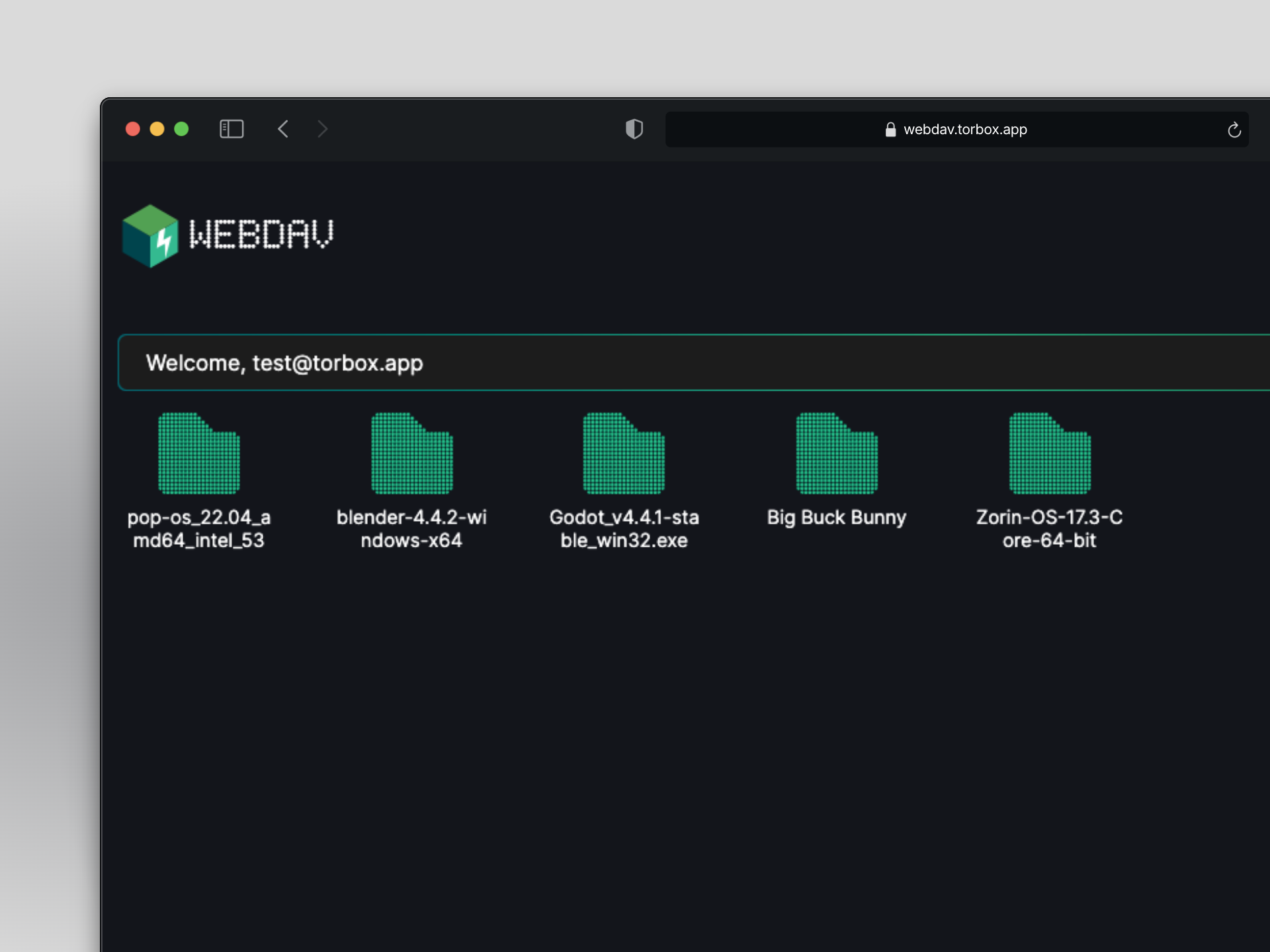
The WebDAV was completely rewritten from scratch using no additional tools. Previously the framework we were using had missing compatibilities, had general bloat, instabilities, and wasn’t built for the amount of usage or users we have. This new rewrite was made to counter every single problem reported previously about the old WebDAV including and most importantly downloading.
Listing files is now extremely fast and compatibility has been verified to work with the following apps (and more):
RClone
All commands work including mounting!
Infuse
Infuse no longer requires any extra settings to work, just connect as normal!
Owlfiles
Vidhub
Kodi
MiXplorer
Cyberduck/Mountain Duck
WinSCP
Downloading is now extremely fast and much more reliable than before. Some users have claimed nearly instant start times. Currently only hosted in the EU, your mileage may vary, but at least it is very reliable!
Little to no rate limiting when listing files, or downloading files.
Supports multi-threaded downloads up to 16 threads.
Simple and easy to use Web UI. This is open to suggestion on what exactly we should do with it. Please send us suggestions on what you would like to see!
WebDAV Flattening is still supported!
This can be used for Infuse, which prevents Infuse from scanning the entire library over again if something changed. Flattening only makes Infuse scan that one item.
Customizable views! Change between the default “Explorer” view, and the “Classic” view.
The “Explorer” view is more tailored to the average user as it is like the standard Finder or Windows Explorer most people are used to.
The “Classic” view is more tailored to power users as it shows the size, and is more condensed, giving more information.
Both views include a beautiful UI similar to that of MacOS (heavily inspired).
FTP
FTP is being sunset due to little use, and WebDAV now being the high performance option. This may be a little shock, but our analytics show that since inception, FTP has constantly been less popular that WebDAV in general. The new WebDAV is extremely fast, so you shouldn’t be missing anything!
Debrid/Web Downloads
Edge case with Mega folders has been fixed. This would cause some folders to not download or get stuck at a certain percentage every time.
Fixes Clicknupload downloads.
Handles edge-case GoFile urls.
Fixes Terabytez downloads.
Fixes HitFile downloads.
Fixes MegaUp downloads.
Fixes Worldbytez downloads.
Baidu now shows total filesize of the download. This also means that downloads too large will now be not allowed.
Now gives proper error for Dropbox downloads that cannot be downloaded (without account, download it yourself).
1Fichier gets higher file size and download amount limits!
200GB per link.
50 links per day.
Mega gets a higher file size limit!
200GB per link.
Uses new Cobalt API, and local processing so YouTube downloads should be much faster, and show download progress and size.
This also affects all other Cobalt compatible sites.
This also resolves a few bugs reported by our users. Downloading should be nice and smooth now!
Only playlists are not using local processing due to complexity, and downloads already being mult-threaded and very quick.
Adds Terabox download hoster! This allows you to download files and folders up to 100GB in size extremely quickly and without ads.
Supports password locked files and folders. Simply add your password if required.
Supports folders of any size, and will be downloaded in the correct folder structure.
Only supports public files. Private files are not able to be downloaded.
Adds Scribd download hoster! This allows you to download open source books and documents extremely quickly!
Adds Dropapk download hoster!
Adds Katfile download hoster!
Archive.org now handles direct download links in the format of https://archive.org/download/file.txt
YTDLP downloads now give better errors to the user.
Fixes Streamtape downloads and allows more download link types.
RapidRar downloads will now give specific error when the file is missing from RapidRar.
Adds a lot more domains to already existing sites.
This will prevent errors if there are lots of mirror sites of the same website.
Fixes edge-case HAnime downloads where the site didn’t have all of the data necessary. This will still allow you to download these items.
Gofile downloads folder as files rather than as a zip. This is better for download speed as it can now be multi-threaded rather than single-threaded.
Service
Fixes edge case where the name of a Usenet download ending with a file extension would mess up the entire download due to how the files get processed.
If a Usenet download fails to process it will properly turn inactive.
Usenet RSS feeds now downloads the NZB file from the link retrieved from the RSS feed, and uses that for adding the download, rather than grabbing links twice, one for hashing, one for downloading. For users on private indexers, this should save you on grab limits rather than wasting them.
Usenet RSS feeds now use the name from the RSS feed item when downloading the NZB file, as the new download method doesn’t have enough information to get a usable name from, so this fixes that.
Force starting queued web downloads properly start.
Usenet downloads will no longer have a
download_stateof “completed” when it is supposed to be processing.Usenet downloads add much faster, which results in faster download times, and faster perceived adding times.
Faster processing for large files, or torrents with many files.
If a Usenet download is encrypted and the user did not provide a password, instead of being “paused” it will properly fail the download.
Adding Usenet downloads is much faster.
Adding torrents are much faster.
API
New async endpoints for adding downloads. This allows you to basically “send and forget” links/magnets/torrent files/nzbs to download and not wait for an entire response. This is great for applications that don’t require to know the hash and instead prefer speed when queuing a download.
This is currently not documented, but if you want to use it now, just add “async” before the endpoint (ie:
asynccreatetorrent)
Stremio Addon
Even better detection of languages! (Previous changelog mentions this too, but this one is even better).
Keep in mind that if the file name doesn’t specify a language, we still fall back with “UNKNOWN”.
Much faster start times! This should be at the top due to just how fast streams start now!
If you experience slow start times, it’s due to Stremio buffering the file before playing, or the file itself is downloading slow. On average, the Stremio addon generates a link in less than 1-3 seconds.
Even better Your Media detection. This iteration of improvement was focused on additional language detection in Your Media items.
Website
Using the new async endpoints for adding downloads, downloads are perceived to add faster, and should always be less than a second or so for adding.
The new download will show up momentarily.
MFA input automatically focuses reducing the need to click on the input to start typing. This also prompts password managers to also open up their selectors.
Fixes Onedrive Path and Google Drive Folder ID, and Webhook URL deleting one another when editing.
Adds setting for changing WebDAV “Explorer” view or WebDAV “Classic” view.
Changing a cached setting (ie: something that may take time to propagate), gives proper success message stating that it may take a few minutes for the changes to take effect.
Adds acronyms of CDN to CDN listing. (WEUR and WNAM and APAC)